Everyone on the farm gets the right access. Invite your people and pick each one's role. Hired help sees the fields, tasks and tickets they need, and your leases and contracts stay hidden from them. Watch the video, or follow the steps below.
What you'll need
- The email of each person you want to invite, family or hired help.
- What each one should see, like fields, tasks and tickets.
- A few minutes.
Already invited everyone? Skip to step 3.
Step 1. Open People
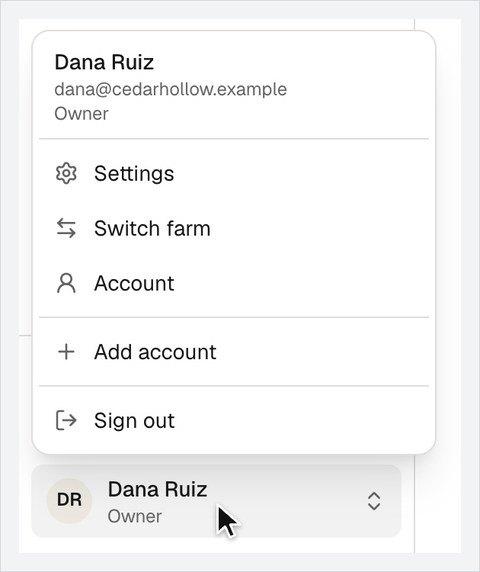
- Click your name at the bottom left, then Settings.
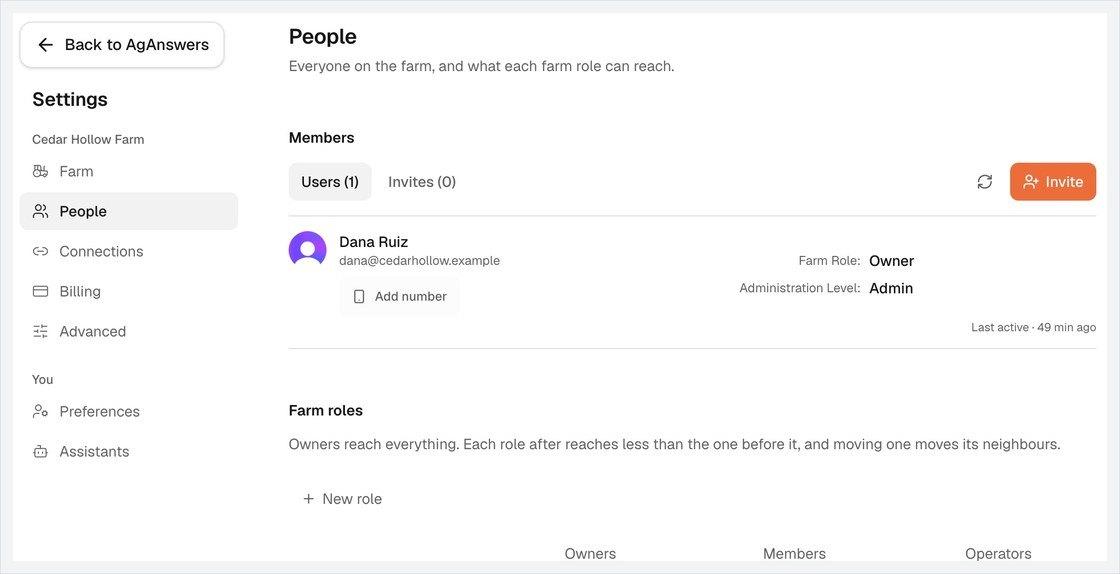
- Click People. You'll see everyone on the farm, and what each farm role can reach.
Step 2. Invite your people
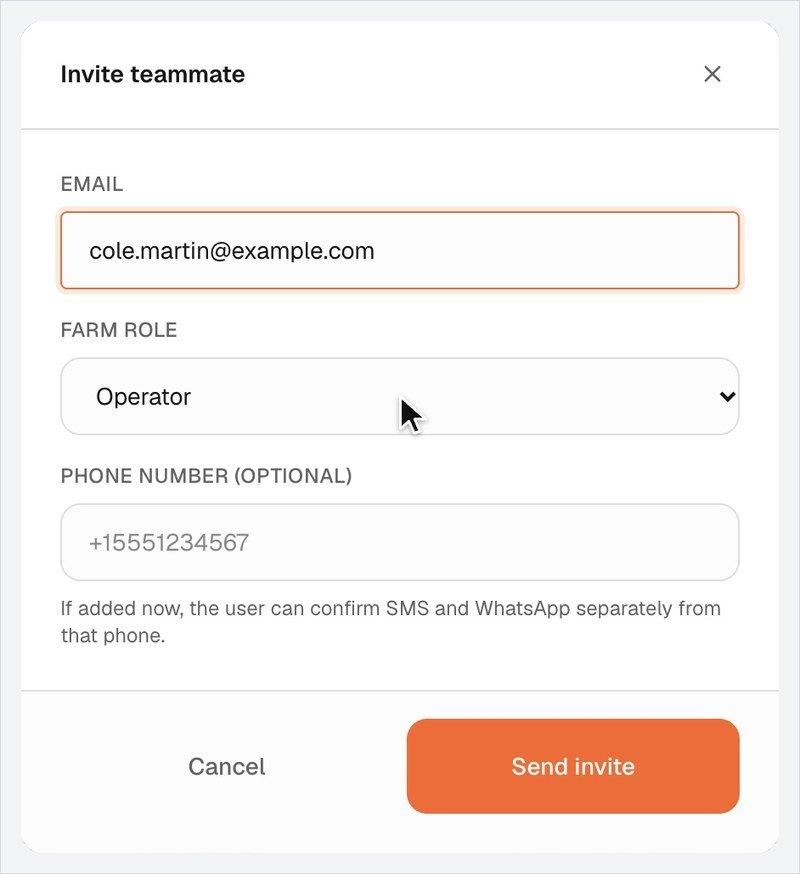
- Click Invite, and add their email.
- Pick their farm role. For hired help, pick Operator. They see the fields, tasks and tickets they need, and your leases and contracts stay hidden.
- Click Send invite.
Step 3. Make your own
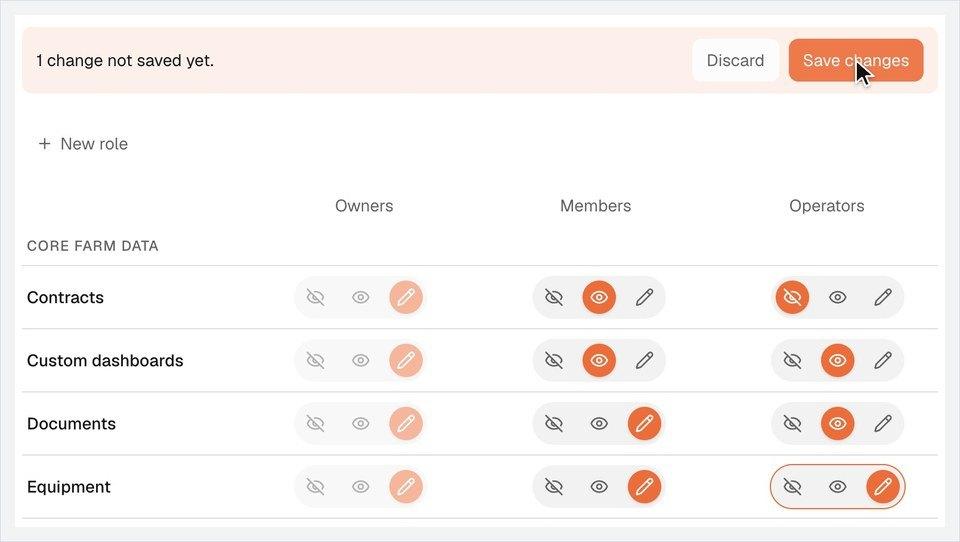
- In the Farm roles grid, each row is a kind of record. An eye with a line through it means hidden, the eye means they can see it, and the pencil means they can change it.
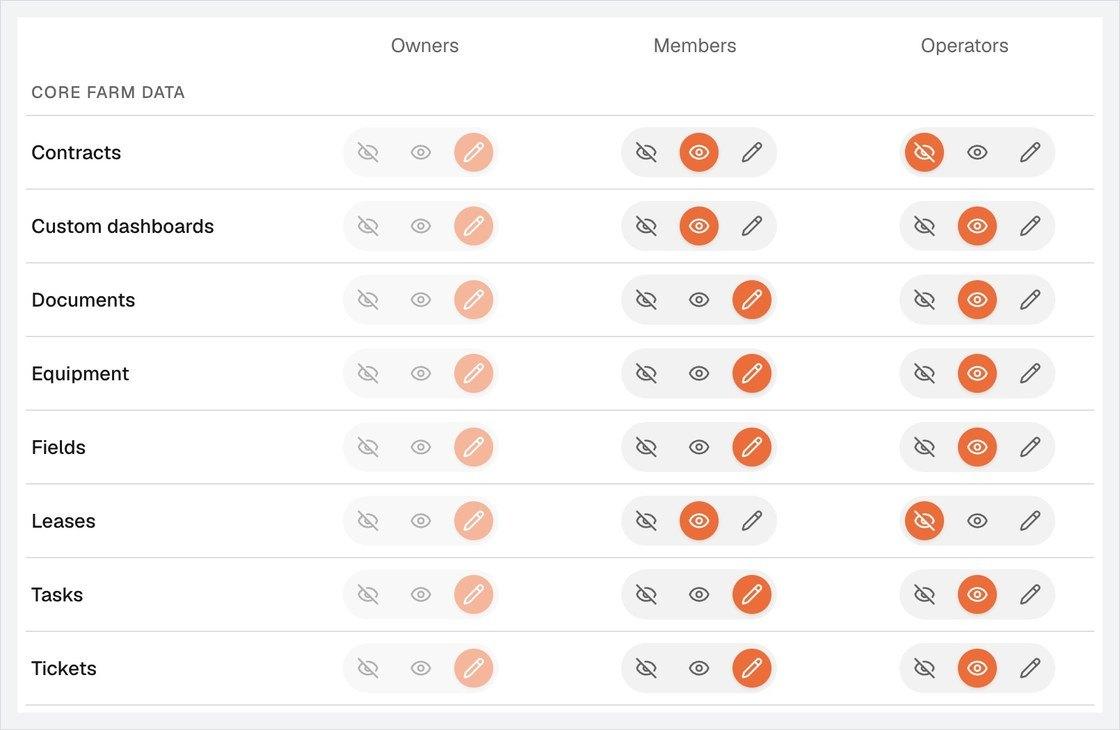
- Click the one you want, like the pencil for Operators on Equipment, then click Save changes.
- Or click New role to make one that fits.