Your Fields page gives every field a page of its own: the acres, the crop in the ground, the lease, every load hauled off it and every job done on it. Watch the video, or follow the steps below at your own pace.
What you'll need
- Your fields set up in AgAnswers, each with its name and acres.
- Some records for them, like plantings, harvests, scale tickets or leases.
- A few minutes.
Already sent some in? Skip to step 2.
Step 1. Send in your records
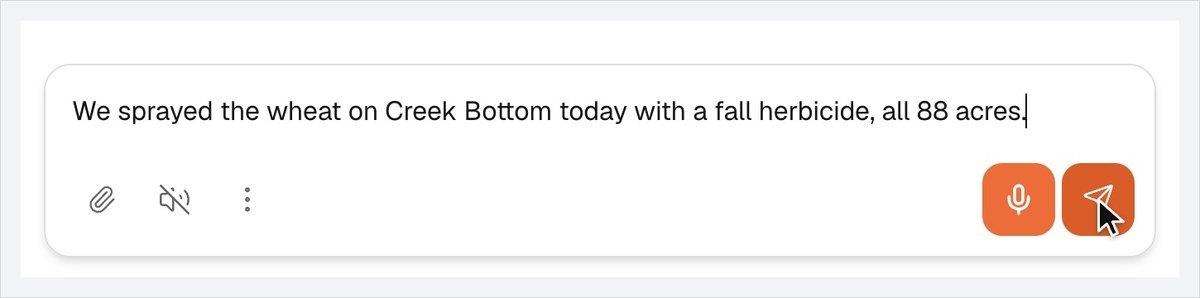
- In the chat, say what got done on a field, the way you'd tell your crew, and send it. For example: We sprayed the wheat on Creek Bottom today with a fall herbicide, all 88 acres.
- AgAnswers saves the job on the right field. Plantings, harvests, scale tickets and leases you send in land there too.
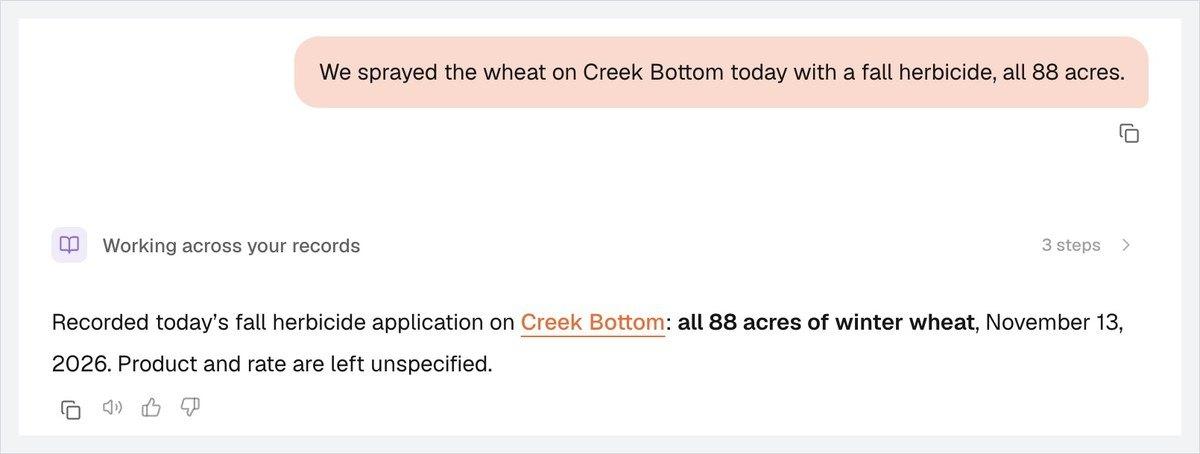
Tip: The answer links to the field it saved the job on, and says what you left out, like the product or the rate.
Step 2. Open Fields
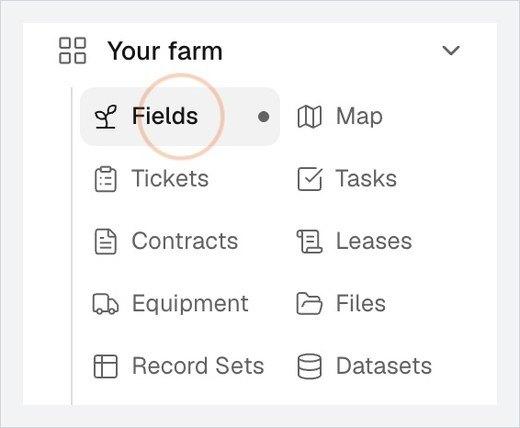
- In the sidebar, under Your farm, click Fields.
- Every field is listed, with its acres, its crop and its lease. Click a field to open it.
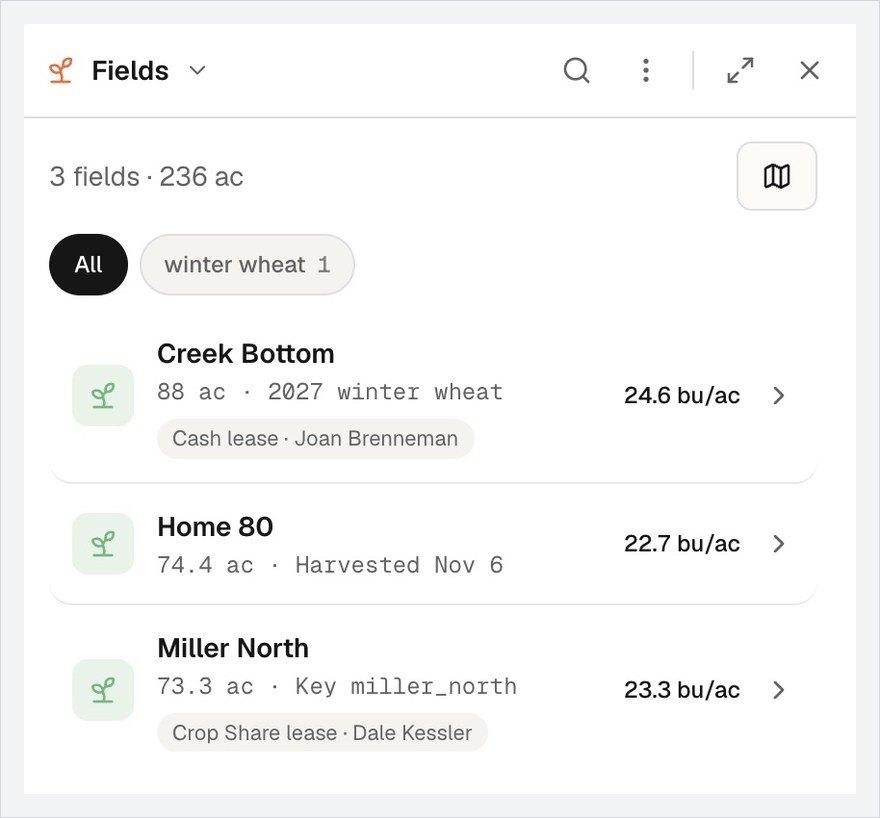
Tip: Click the search icon at the top of the list to find one fast, or click a crop to narrow the list.
Step 3. See it all on one page
- At the top: the acres, the crop in the ground, and who you rent it from.
- The yield so far comes from your scale tickets. Under it, the bushels and how many loads it counts.
- Click the name under Lease to open the lease.
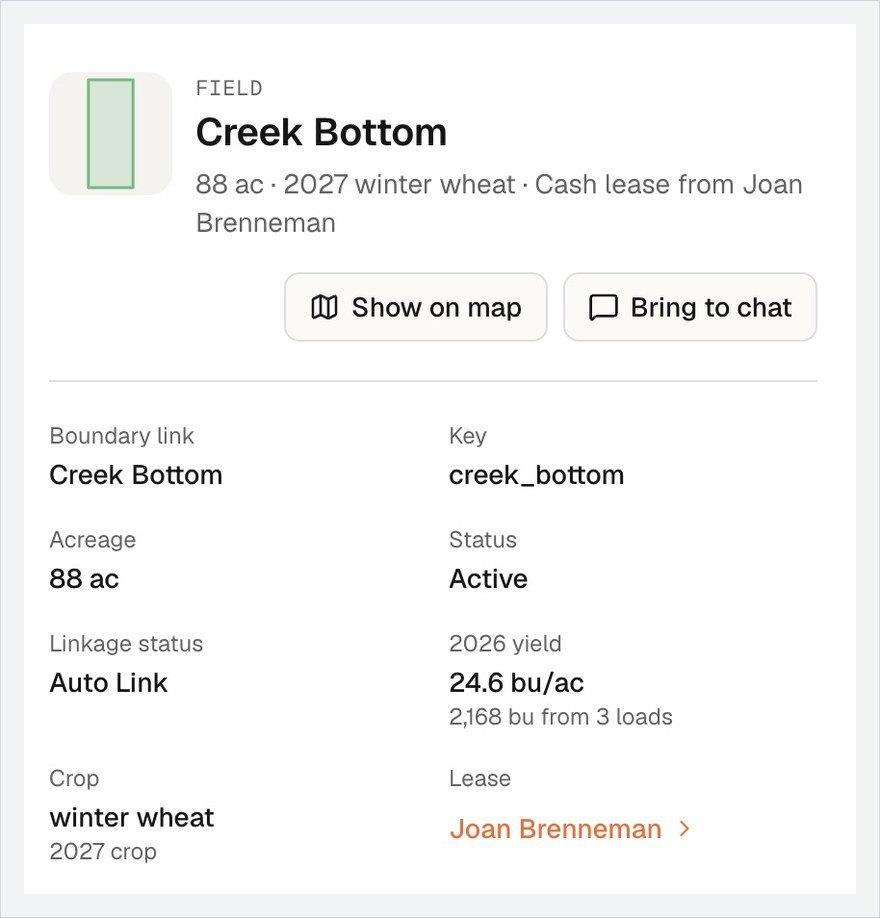
Tip: The yield counts the loads that have a scale ticket, so it fills in as your tickets come in.
Step 4. Every load, and every job
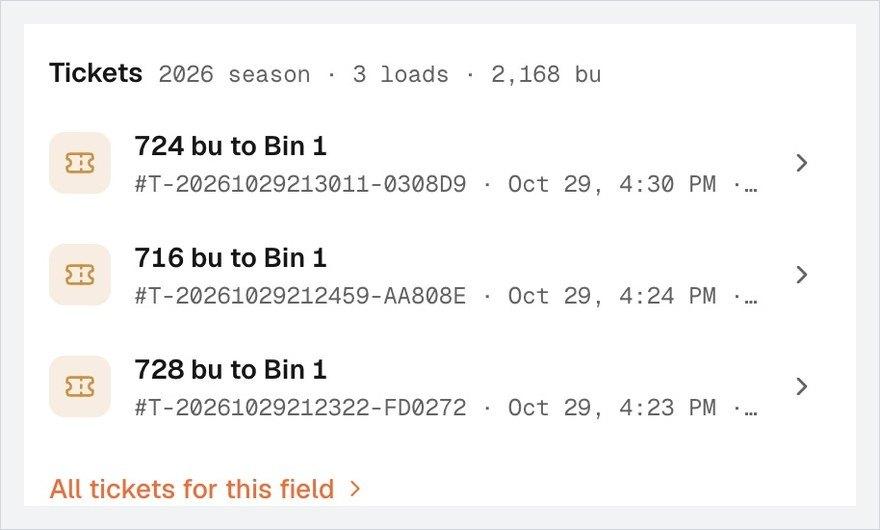
- Under Tickets, each load hauled off this field, with its bushels and its bin. Click a load to open its ticket, or All tickets for this field to see them all.
- Under Activity, every job on this field, newest first. The spraying from step 1 is right at the top.
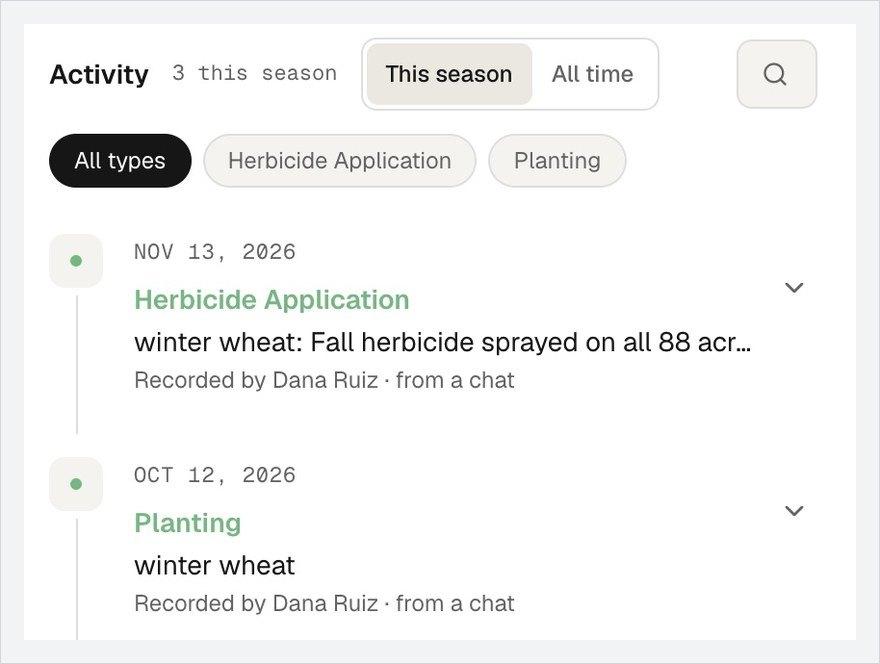
Tip: Switch between This season and All time, click a type of job, or click the search icon to find one.
Good to know
- Everything on the page comes from your own records: what you send in, your scale tickets and your leases. If something isn't there yet, send it in and it lands on the field.
- Bring to chat, at the top of the page, starts a chat about this field with its details and recent jobs, so you can ask about it.
- Show on map shows the field on your farm map.