Keep your land leases straight. Add a lease from the paper or by telling AgAnswers the terms, see what each lease says and what's due, get a reminder before each rent payment, and make a report for your landlord. Watch the video, or follow the steps below at your own pace.
What you'll need
- Your leases: the paper copy, or the terms you agreed on a handshake.
- Who owns each field you rent.
- The rent or the crop share split, and when rent is due.
Leases already in? Skip to step 3.
Step 1. Add a lease from the paper
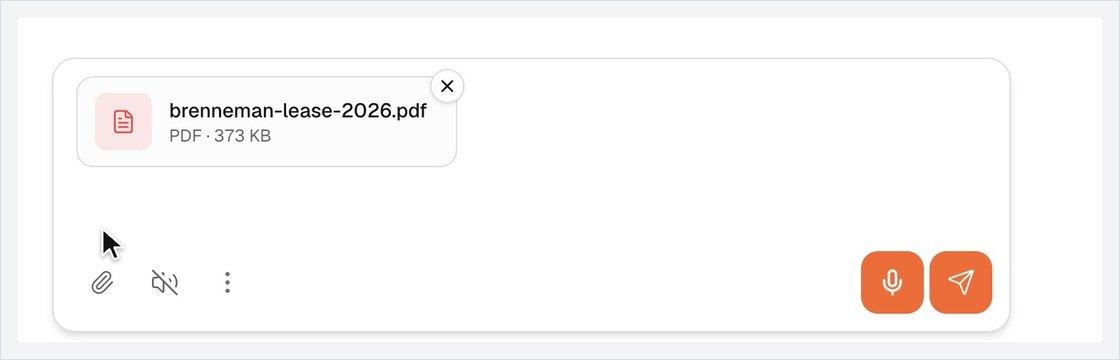
- In the chat, click the paperclip and pick the lease: a PDF, or a photo of each page.
- Ask AgAnswers to set it up, for example Set up this lease for me. Then send it.
- AgAnswers reads the landlord, the rent, when it's due and which field it covers, saves the lease, and keeps the paper with it.
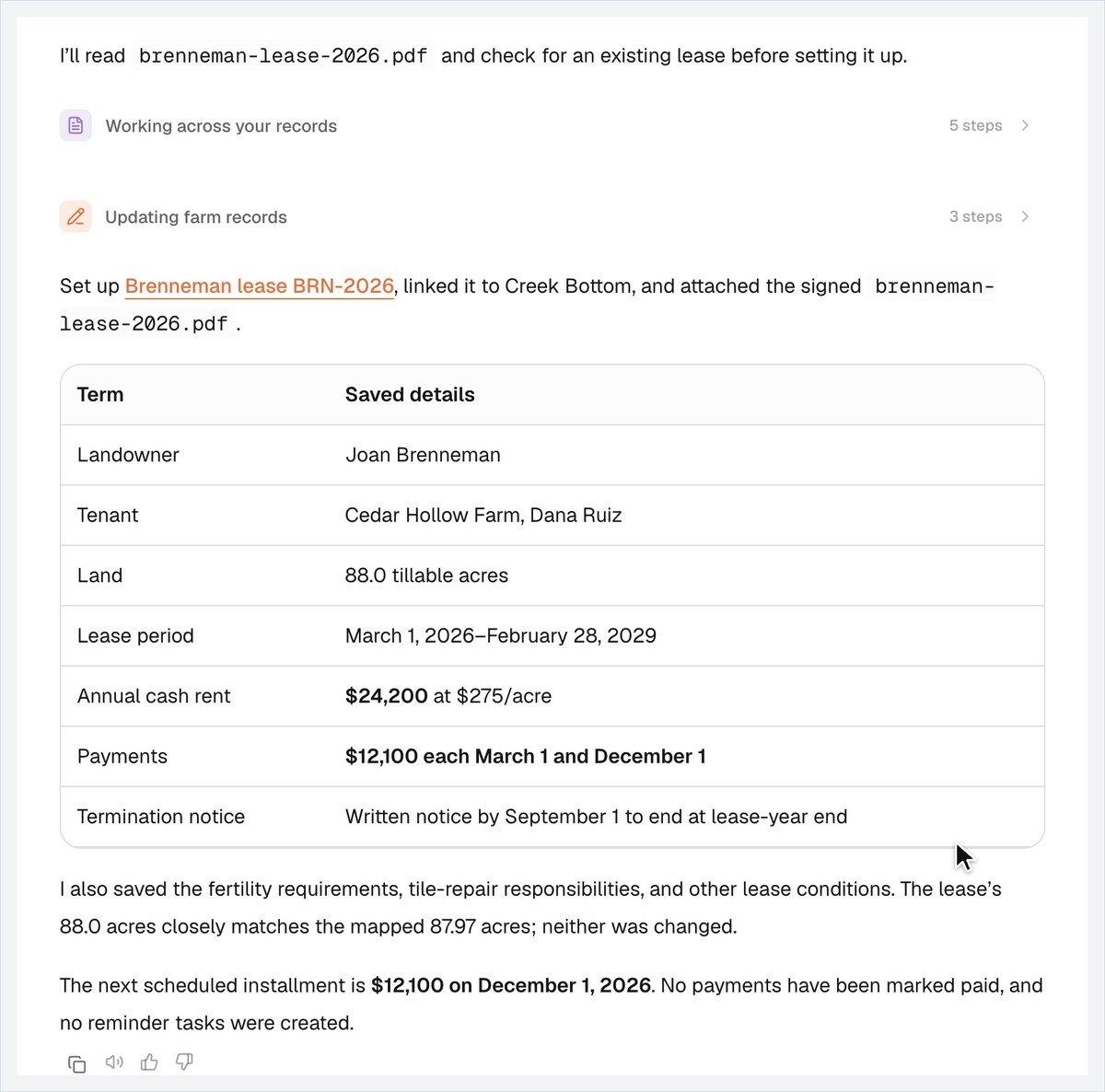
Tip: Check the reply against your paper. If the lease has no number, AgAnswers makes up a filing label and says so.
Step 2. Add a lease you agreed by handshake
- Tell AgAnswers the terms, the way you'd tell your banker. For example: Miller North is a 50/50 crop share with Dale Kessler, year to year since March 1, 2024. He pays half the seed and fertilizer.
- It saves the split, and who pays for what.
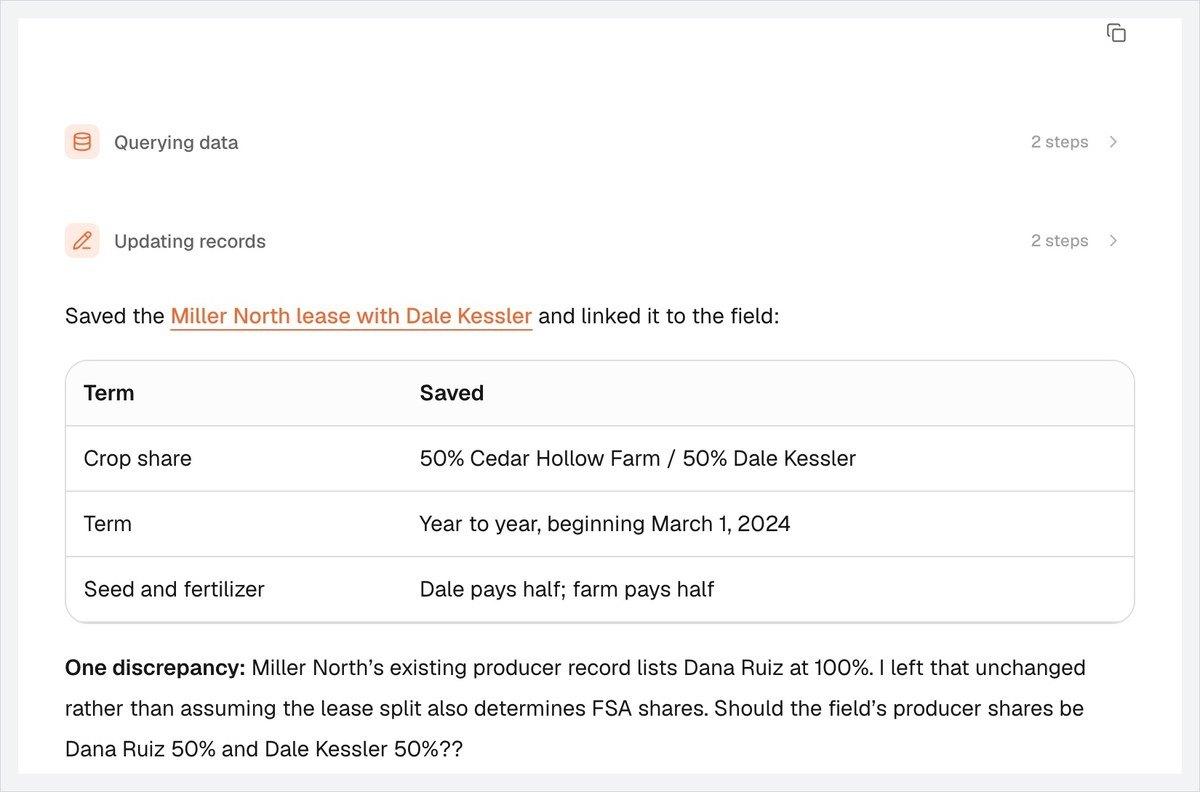
Good to know: If something doesn't match your other records, AgAnswers asks before changing anything. Here it asked whether the field's FSA producer shares should change too.
Step 3. See your leases
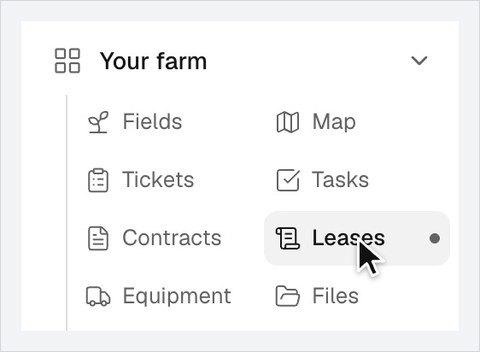
- In the sidebar, under Your farm, click Leases.
- Every lease is listed by landlord, with its type, its rent per acre and its fields. To find one among many, type in Search leases.
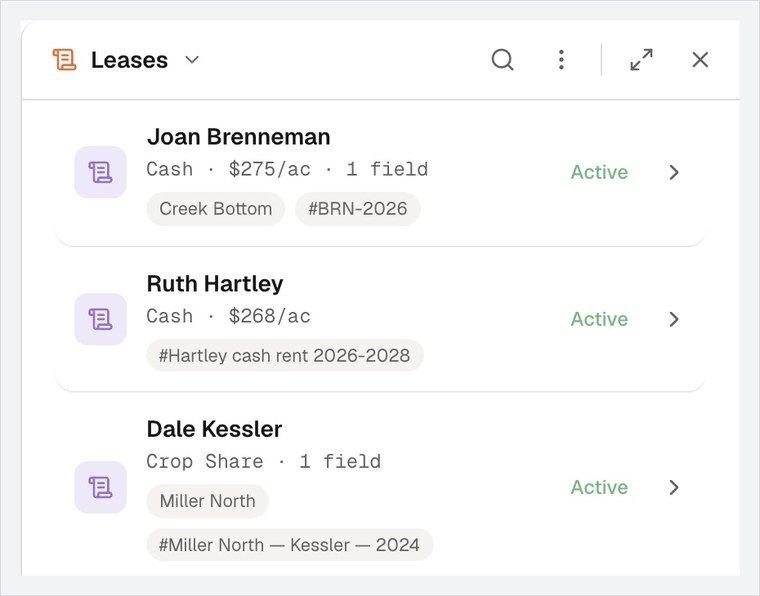
- Click a lease to see the rent, when it starts and ends, the field it covers with its share of the rent, and the lease itself under Files.
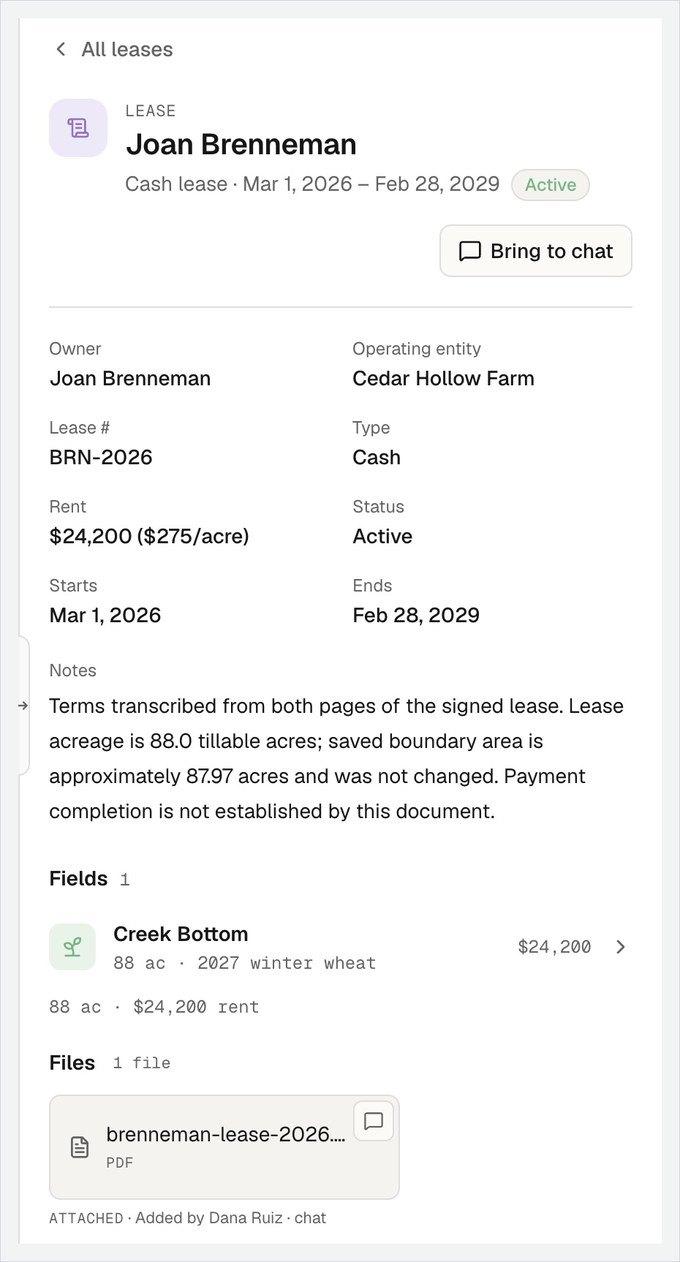
Tip: The page only shows. To change a lease or mark one ended, tell AgAnswers in the chat. A lease can't be deleted.
Step 4. Ask about rent, and get reminders
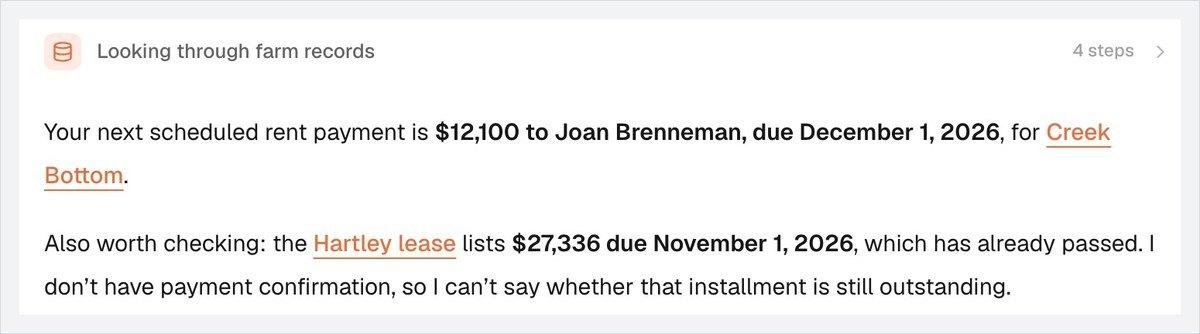
- Ask in your own words, for example When’s my next rent payment, and how much? It answers from your leases, and links to each one.
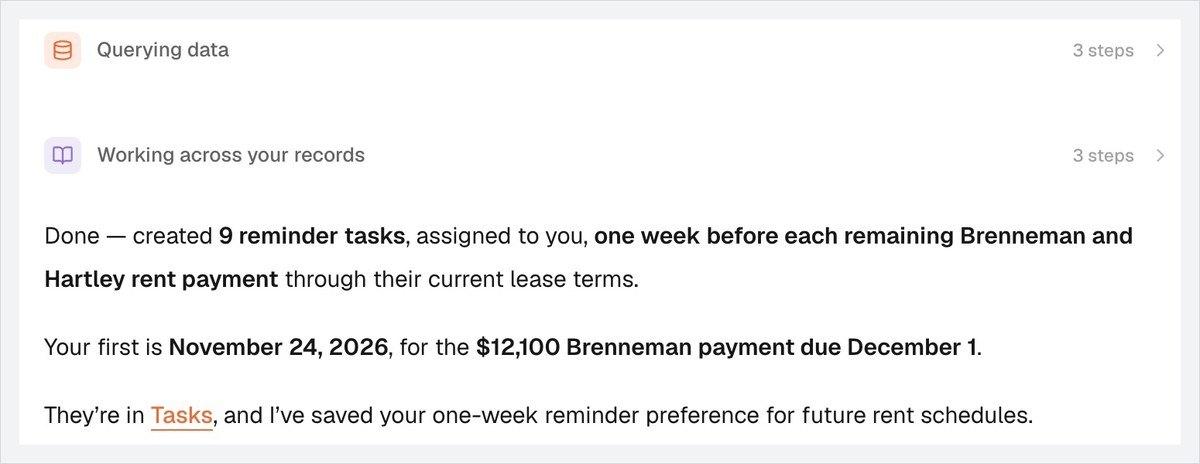
- Ask for a reminder, for example Remind me a week before each rent payment. AgAnswers adds a task a week before each payment, in Tasks.
Step 5. Make a landlord report
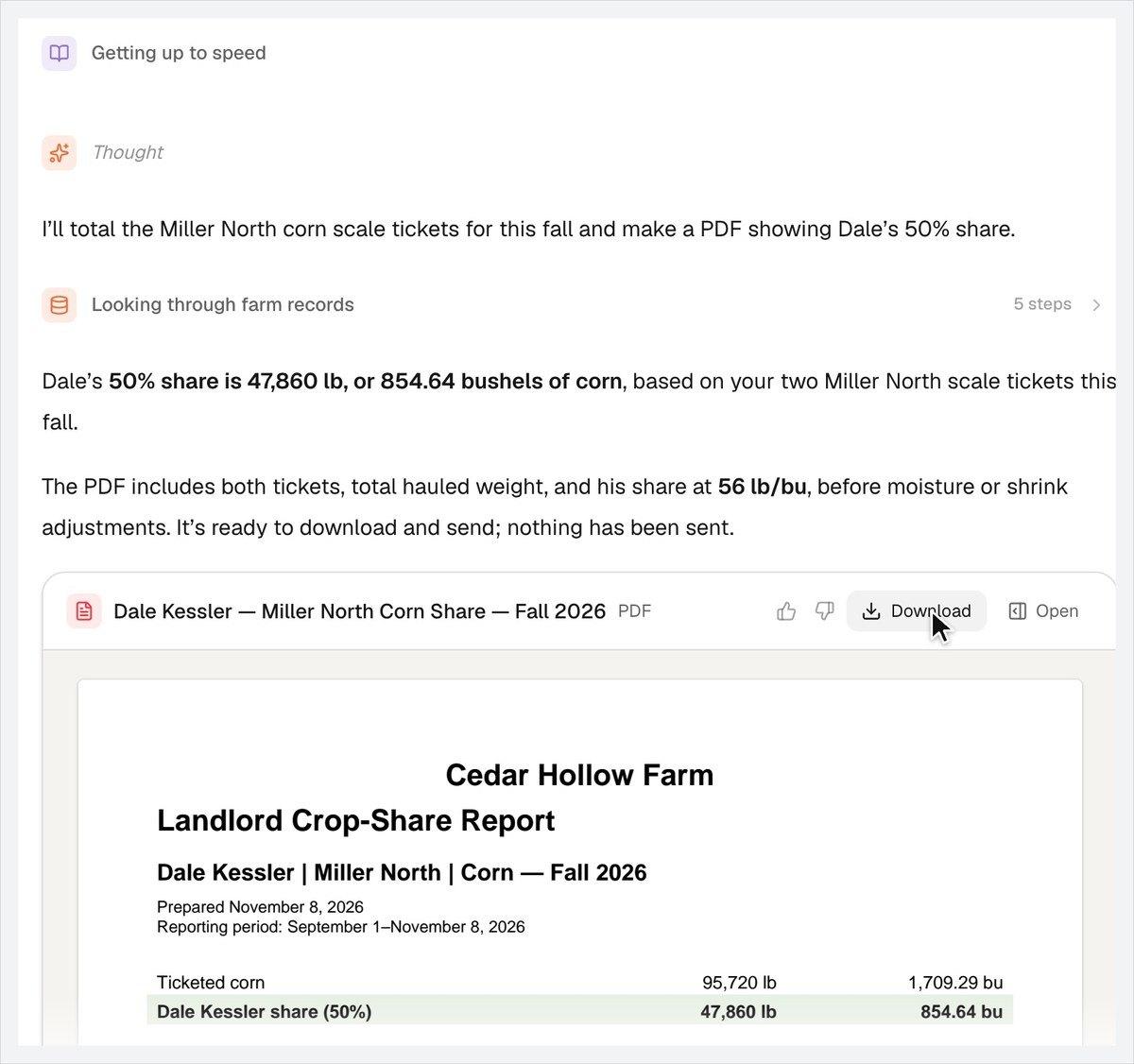
- Ask for the report, and say what to put in. For example: Make a landlord report for Dale Kessler: his half of the corn we hauled off Miller North this fall, from my scale tickets. Make it a PDF I can send him.
- AgAnswers works out the landlord's share from your scale tickets, and makes a PDF in the chat. Click Download to save it and send it yourself.
Tip: For a cash rent landlord, ask for a report of the lease terms, the rent and when it's due.
Good to know
- Every lease needs a landlord, cash rent or crop share, a start date and a lease number. Give AgAnswers as much else as you have.
- AgAnswers doesn't know whether rent has been paid; nothing records a payment yet.
- The lease page doesn't always show when rent is due or a crop share split. Ask AgAnswers; it has them.
- A lease doesn't turn Expired on its own when it ends. Tell AgAnswers to mark it ended.
- You decide who on your farm sees leases, in your farm's roles.