Your books, right next to everything else on your farm. All you need to do is connect QuickBooks once. AgAnswers reads your invoices, bills, payments and reports so it can read and analyze your books, and it never changes anything in QuickBooks. Watch the video, or follow the steps below at your own pace.
What you'll need
- The Pro plan. QuickBooks comes with Pro.
- Your QuickBooks sign in.
- Manager access on the farm. Someone with it connects QuickBooks for the whole farm.
Step 1. Open Connections
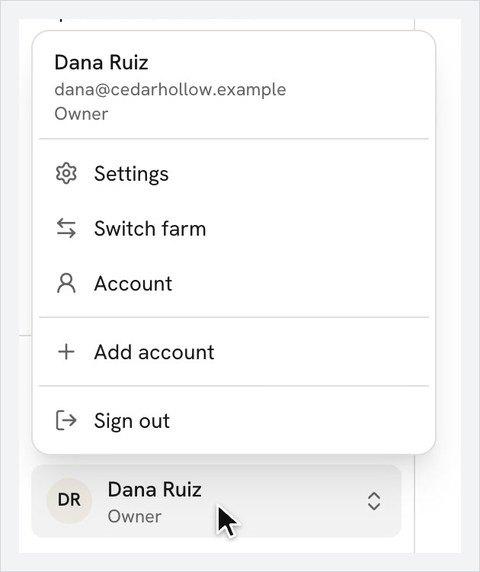
- Click your name at the bottom left, then Settings.
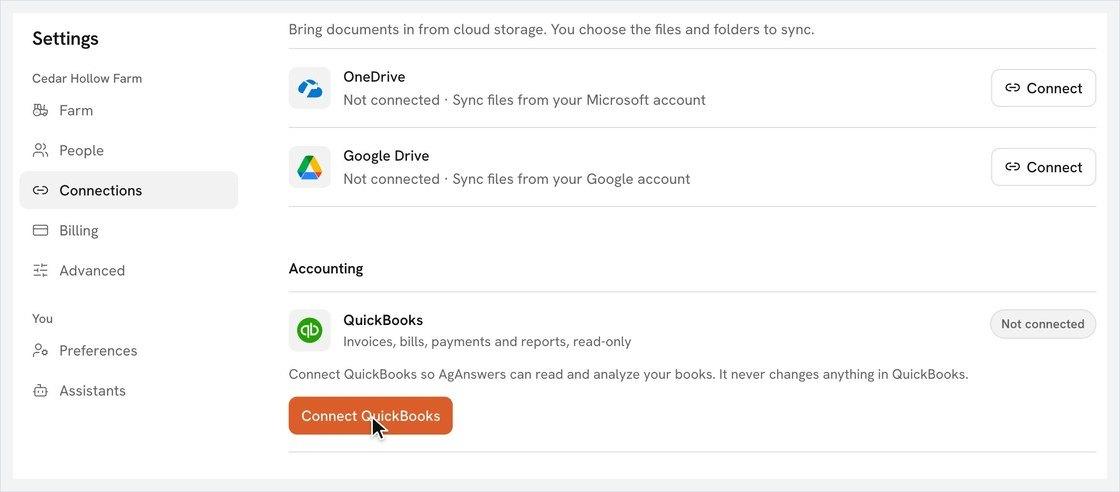
- Click Connections. QuickBooks is under Accounting, and the card says Not connected.
Step 2. Connect QuickBooks
- Click Connect QuickBooks.
- Choose what AgAnswers may read. Everything is ticked to start. Untick anything you'd rather not share.
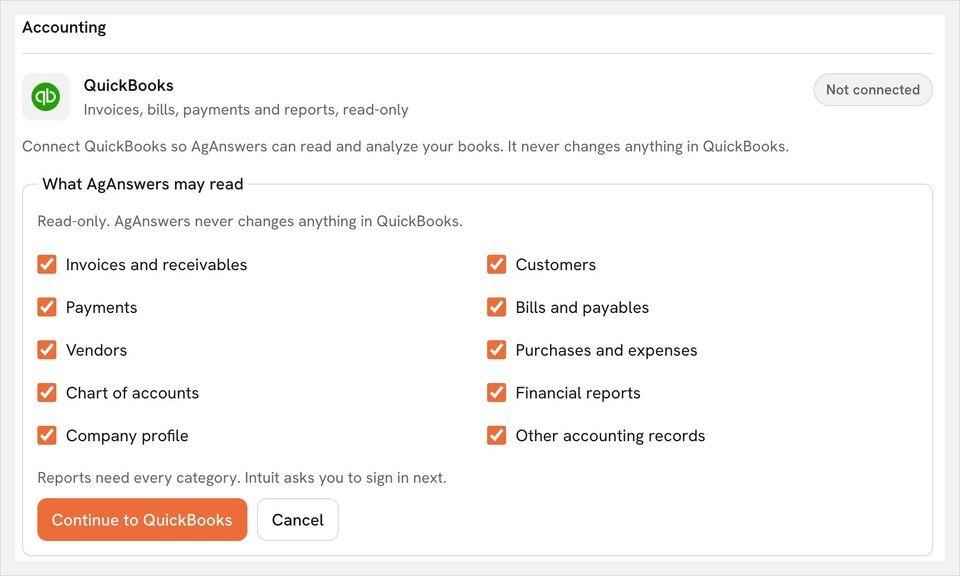
Tip: Reports need every category. It's read only, and AgAnswers never changes anything in QuickBooks.
Step 3. Sign in to QuickBooks
- Click Continue to QuickBooks.

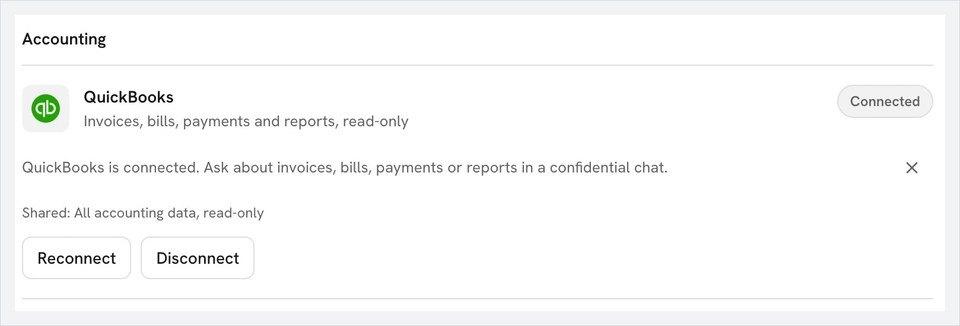
- Sign in with Intuit. Intuit sends you back to Connections, and the card says Connected.
Step 4. That's it
Now AgAnswers can read your books, and nothing in QuickBooks changes.
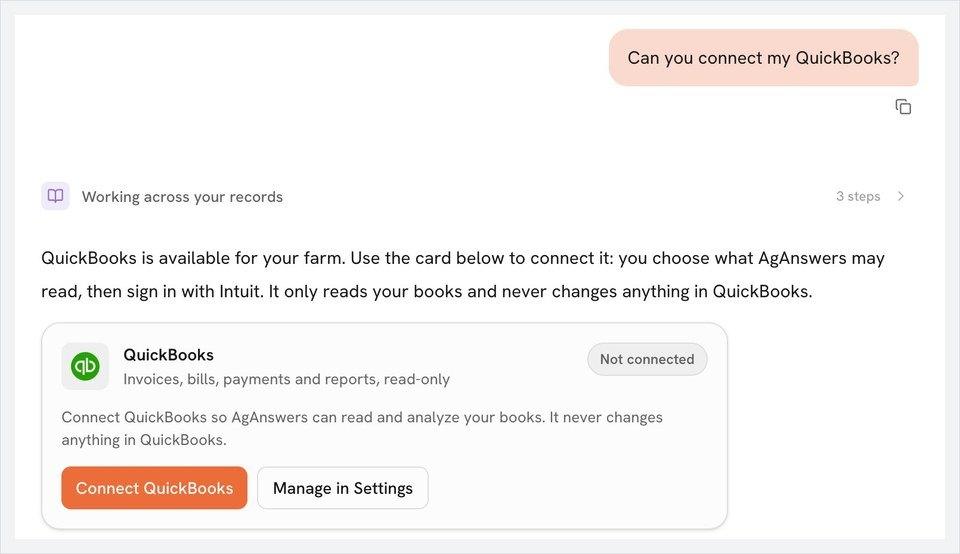
You can also start it from the chat. Just ask AgAnswers to connect QuickBooks. The QuickBooks card shows up right there in the chat, ready to connect, with Connect QuickBooks and Manage in Settings.
Good to know
- AgAnswers reads your invoices, bills, payments and reports. It never changes anything in your QuickBooks.
- Once connected, the card shows what you shared, like All accounting data, read-only.