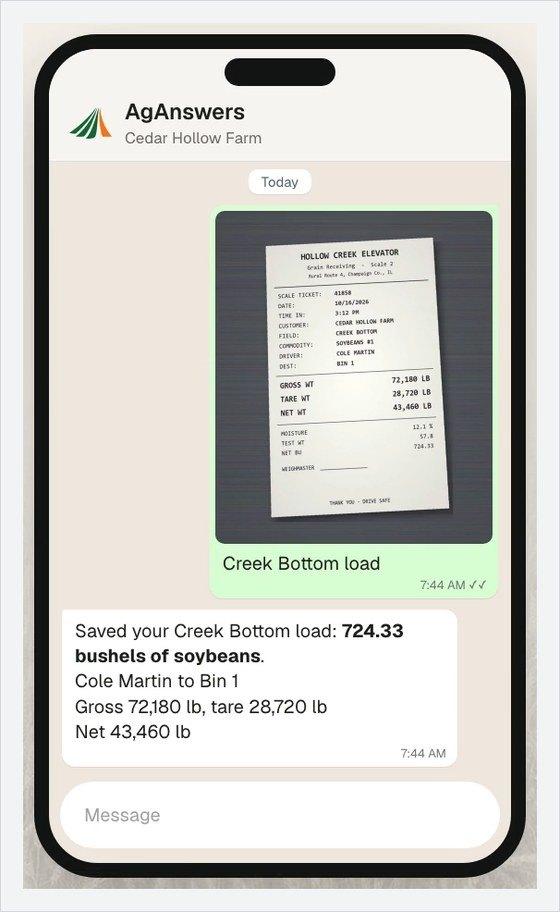
Send things in from your phone, by text message, WhatsApp or email. Message AgAnswers like you'd message anyone on the farm. Text a question, or send a photo of a ticket or invoice by WhatsApp or email, and AgAnswers saves it to your records. Watch the video, or follow the steps below at your own pace.
What you'll need
- Your phone, the one you text from.
- An owner on the farm to add your number, in Settings, under People.
- A few minutes.
Number already added? Skip to step 2.
Step 1. Add the number
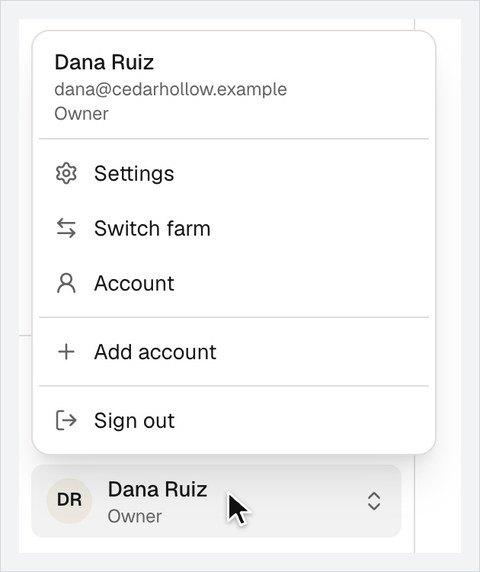
- An owner clicks their name at the bottom left, then Settings.
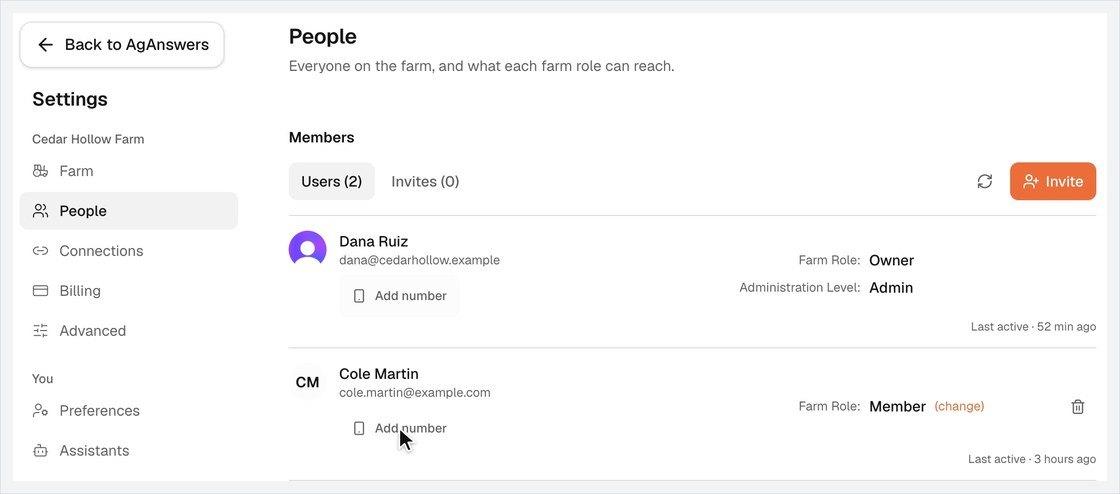
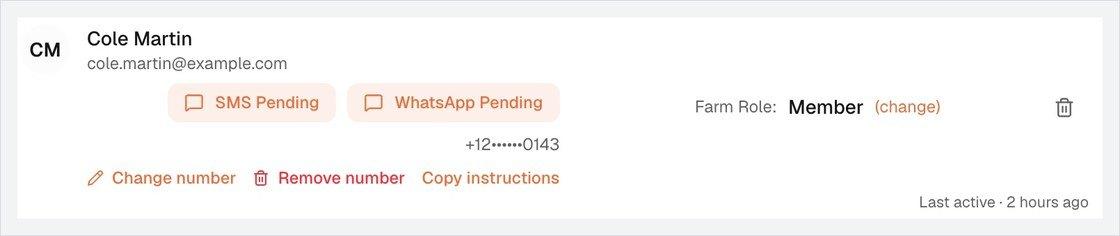
- Click People. On the person's row, click Add number.
- Type their mobile number with the country code, like +1 for the U.S., then click Save number.
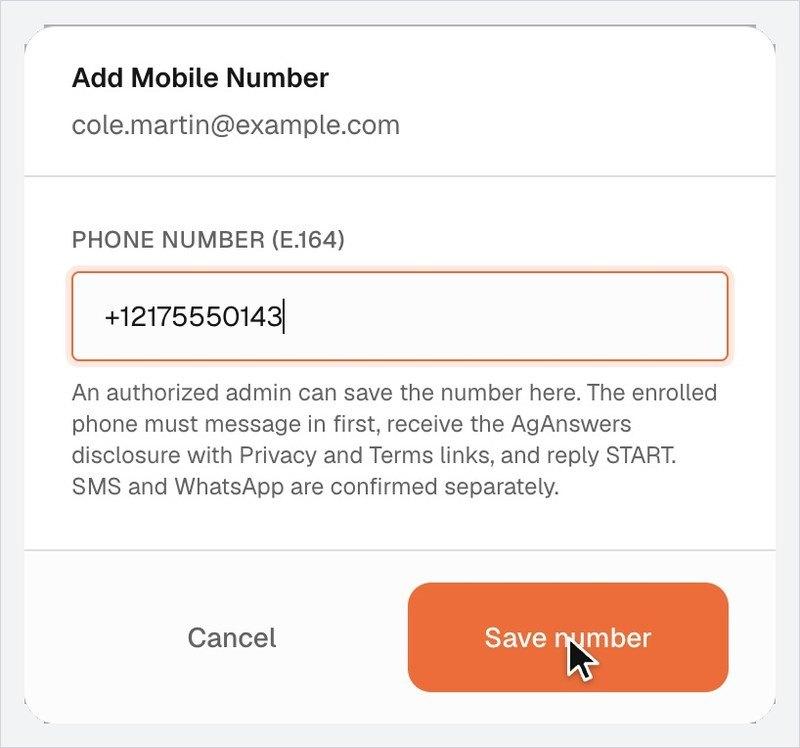
Their row shows SMS Pending and WhatsApp Pending until they say hello.
Step 2. Say hello
- The first time, they send AgAnswers a message from that phone, like “Hello.”
- AgAnswers asks them to reply START. They reply START, and they're all set.
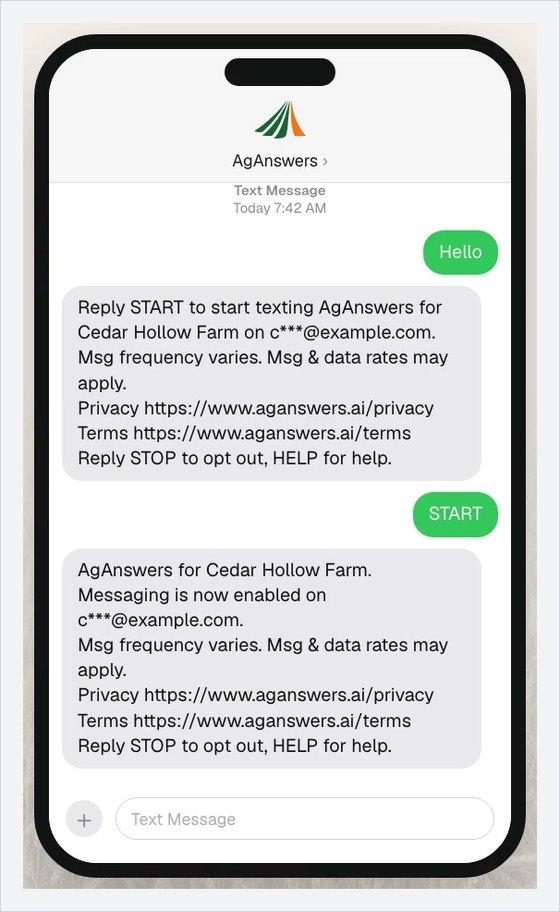
Tip: Text message and WhatsApp each ask once, so they reply START the first time on each one.
Step 3. Send it in
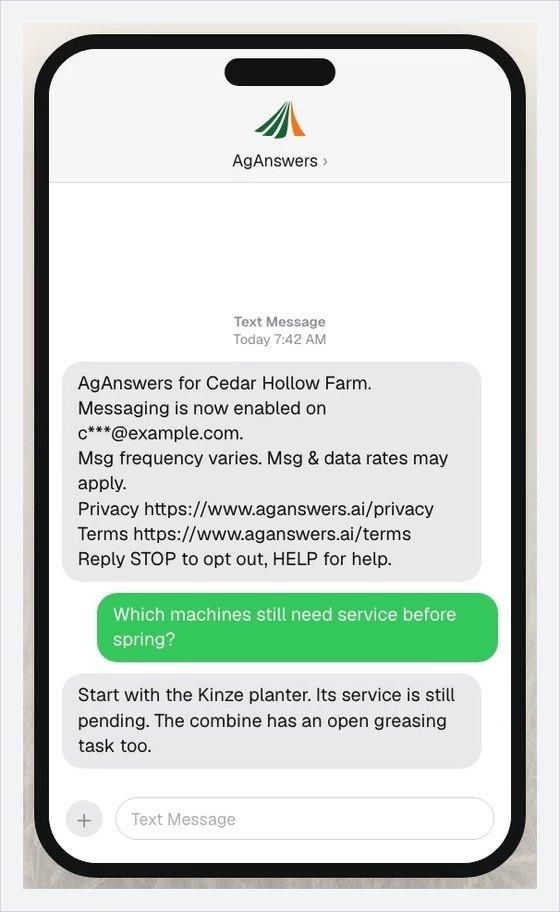
- Text a question, the way you would text anyone on the farm, like “Which machines still need service before spring?”
- For a scale ticket or an invoice, snap a photo and send it on WhatsApp.
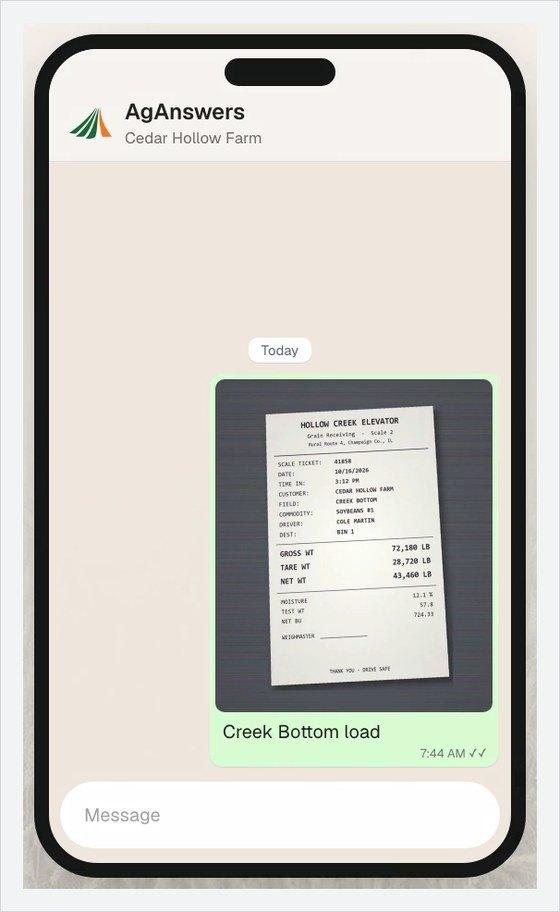
- Or attach it to an email to your farm's own address. You'll find that address in Settings, under Connections.
Step 4. Get a reply
- AgAnswers answers your text.
- On WhatsApp, it writes back what it read, and it's saved to your records.